
EQ-22 · RGB LED strip · Full kit
Light one pixel from the DIN end
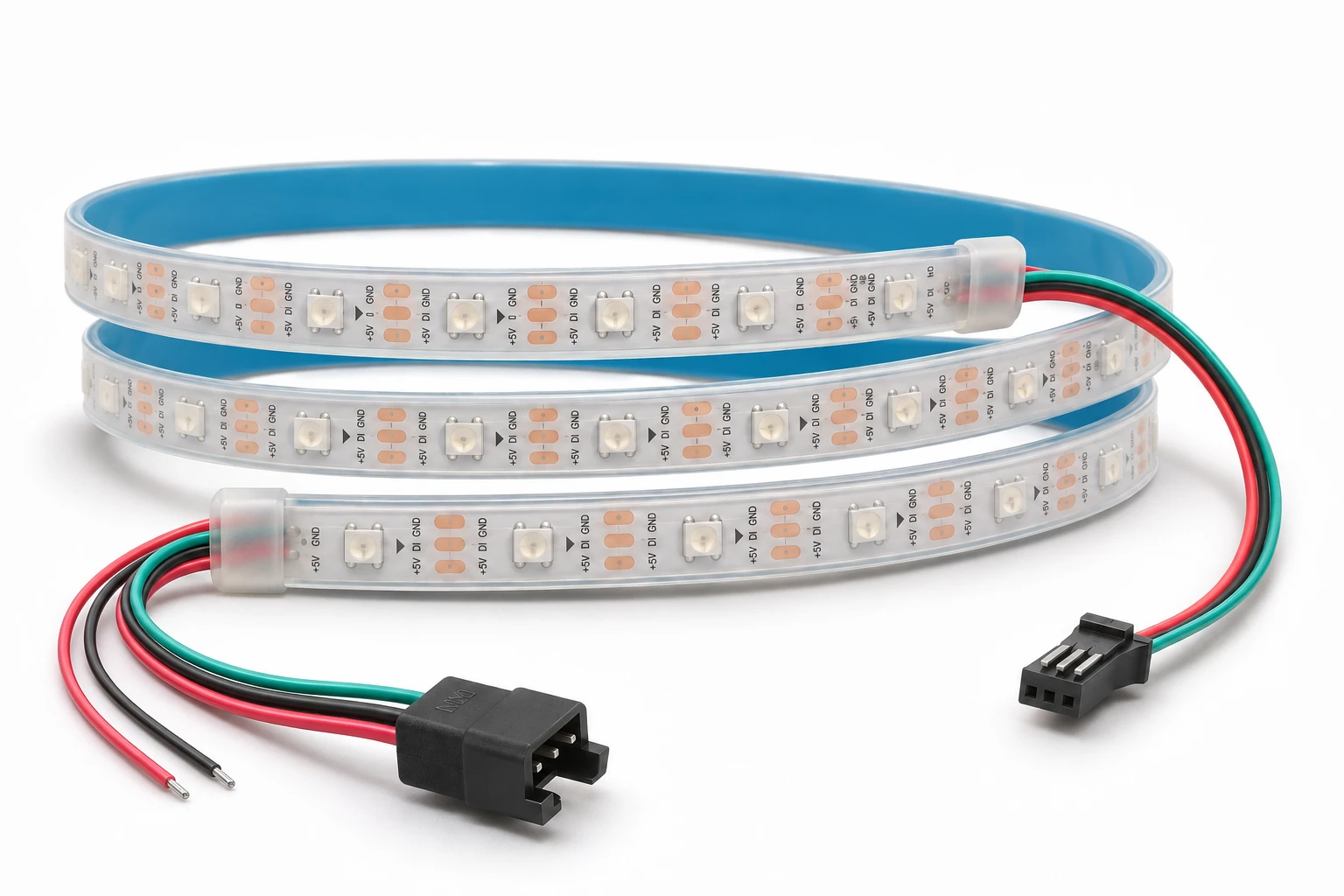
A 1-metre addressable RGB strip with 60 individually controlled LEDs in a silicone sleeve.
How to use it
You’ll need: ESP32-S3, kit WS2812B strip, regulated 5 V supply sized for the strip, and a suitable 3.3 V-to-5 V logic shifter if needed.
Connections
This example uses one part at a time on the MoloWorks ESP32-S3. If a course uses different GPIO pins, follow that course’s wiring and code together. Disconnect USB and any external power before changing wires.
| On the part | Connect to |
|---|---|
| Strip +5 V and GND | Regulated 5 V supply + and −; connect supply − to ESP32 GND |
| Strip DIN | ESP32 GPIO5 data output through a compatible level shifter if required |
| Strip DO / DOUT | Leave unconnected for this test |
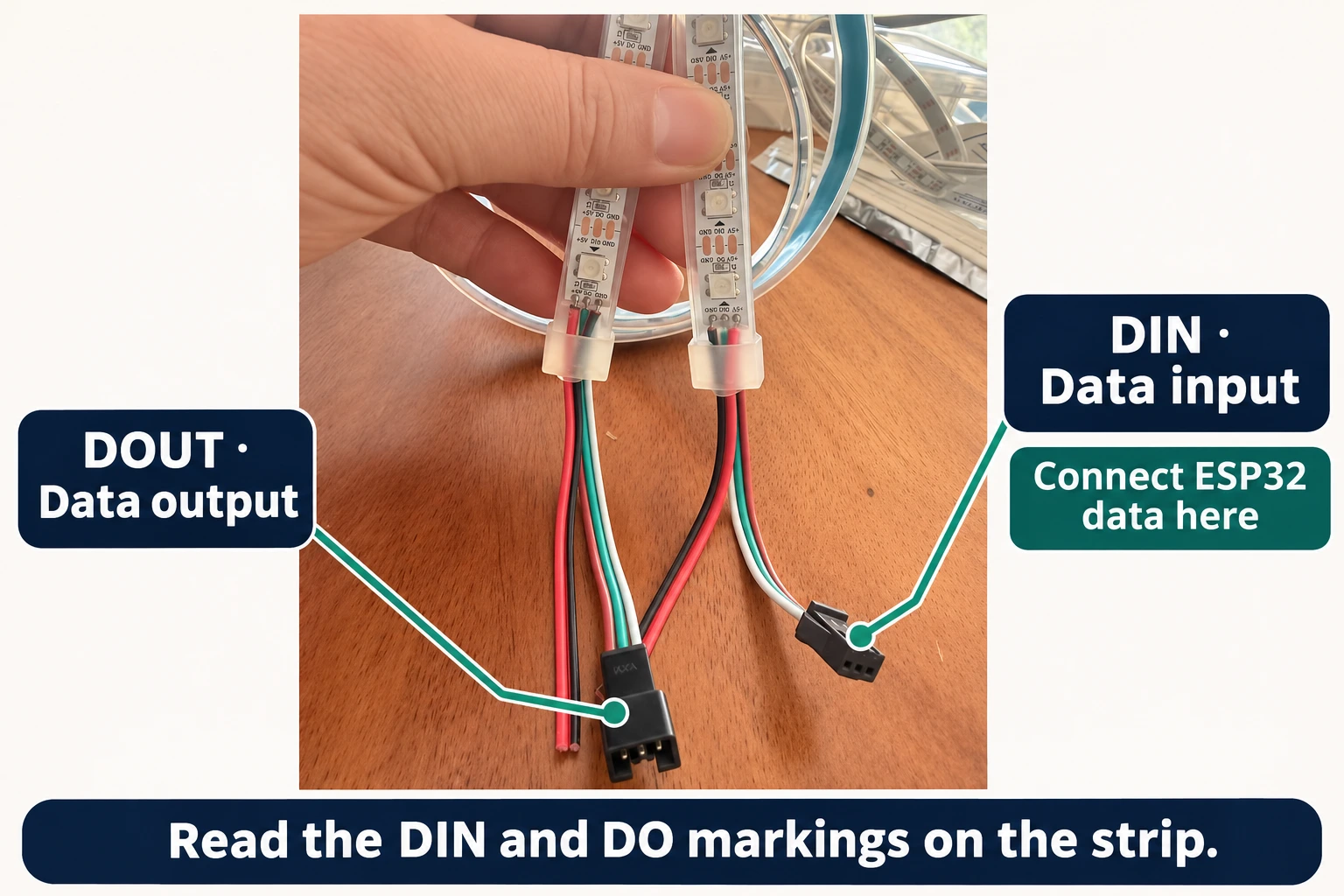
- With power disconnected, use the English connector diagram and the markings on your strip to identify DIN. Connect the ESP32 signal to the input end. Check +5 V and GND by their markings instead of assuming wire colors.
- Use a regulated 5 V supply and common ground. If the strip’s data threshold is unknown or 3.3 V does not meet it, use a fast logic buffer rated for a 3.3 V input and a 5 V output, such as a 74AHCT125 breakout powered at 5 V. Keep its 5 V output off the ESP32 GPIO.
- Run the MicroPython example at low brightness. The kit’s 3.3 V test covered a chase effect on part of the strip with no other high-current load. Use 5 V for the general setup and never power the whole strip from the ESP32 3V3 pin.
MicroPython example
Run this on the board with your MicroPython editor. Set up the ESP32-S3 first if you don’t have a working connection.
from machine import Pin
from neopixel import NeoPixel
from time import sleep_ms

strip = NeoPixel(Pin(5, Pin.OUT), 60)
strip.fill((0, 0, 0))
strip[0] = (8, 0, 0)
strip.write()
sleep_ms(800)
strip[0] = (0, 0, 0)
strip.write()
What to look for: One dim red pixel appears at the DIN end, then goes dark. If no pixel responds, check the input end, common ground, and data level first.
AI prompt
Copy the prompt and replace any brackets with details from your kit. Check the suggested wiring against the labels on your parts before applying power.
Light one pixel from the DIN end
I have a 60-pixel MoloWorks WS2812B strip powered by regulated 5 V with common ground and data from GPIO5 of an ESP32-S3 running MicroPython. Give me a DIN-versus-DO wiring check, a check for suitable 3.3 V-to-5 V data shifting, and a first-pixel test at low brightness that ends with every pixel off. Ask for the supply rating before increasing brightness or lighting more pixels.