
One-day AI Coding fast start
One day. Eight core functions.
One working IoT project.
Designed to take a first-time maker from unboxing to a tested build in one guided day. Connect safely, describe what you want, and use Claude Code or OpenAI Codex to generate and refine the software—no prior programming experience required.
- 1 guided day
- 8 core functions
- No coding background needed
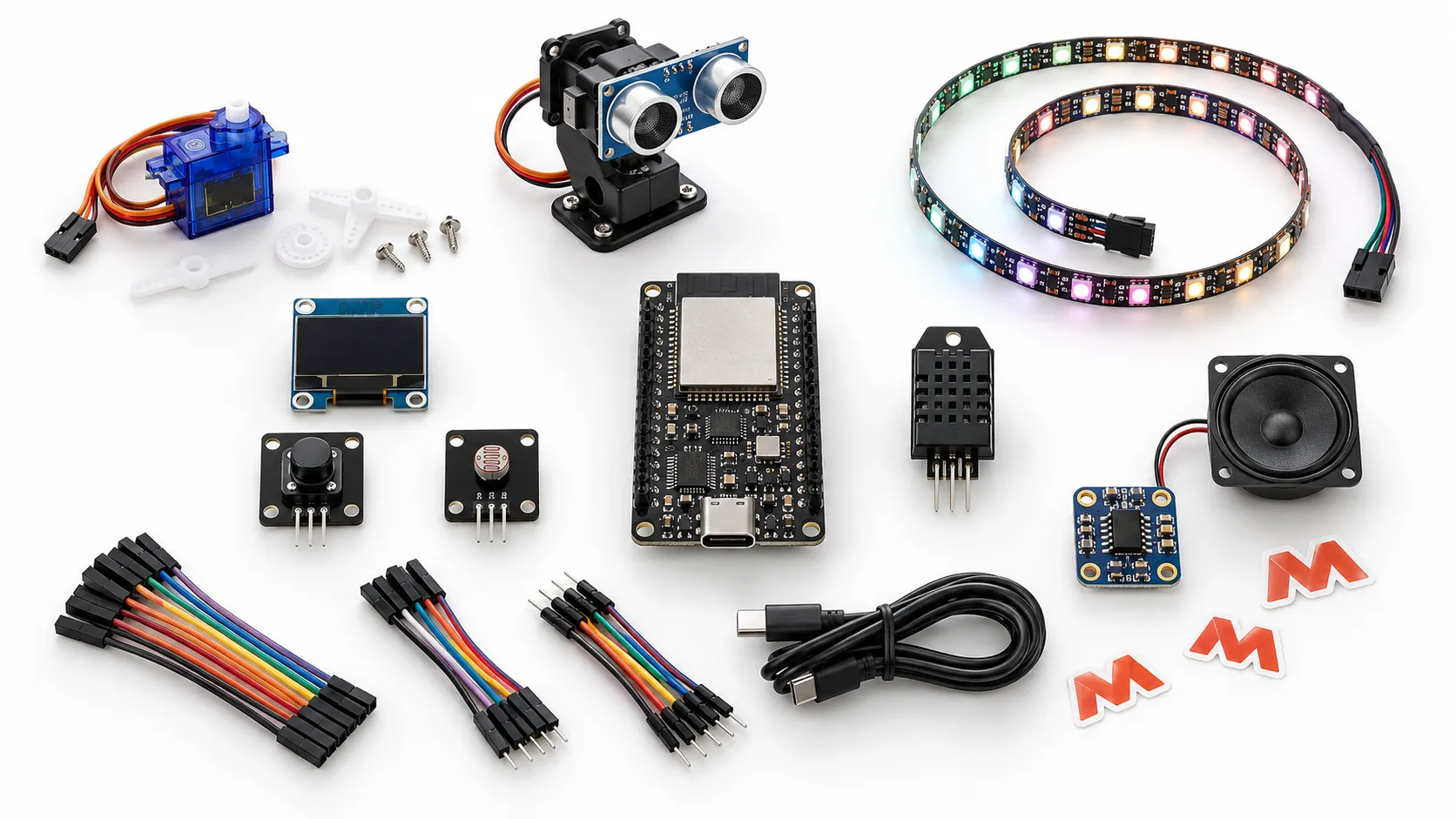
MoloWorks AI Coding IoT Dev Kit
US$89
Shipping and tax extra · Not accepting orders yet
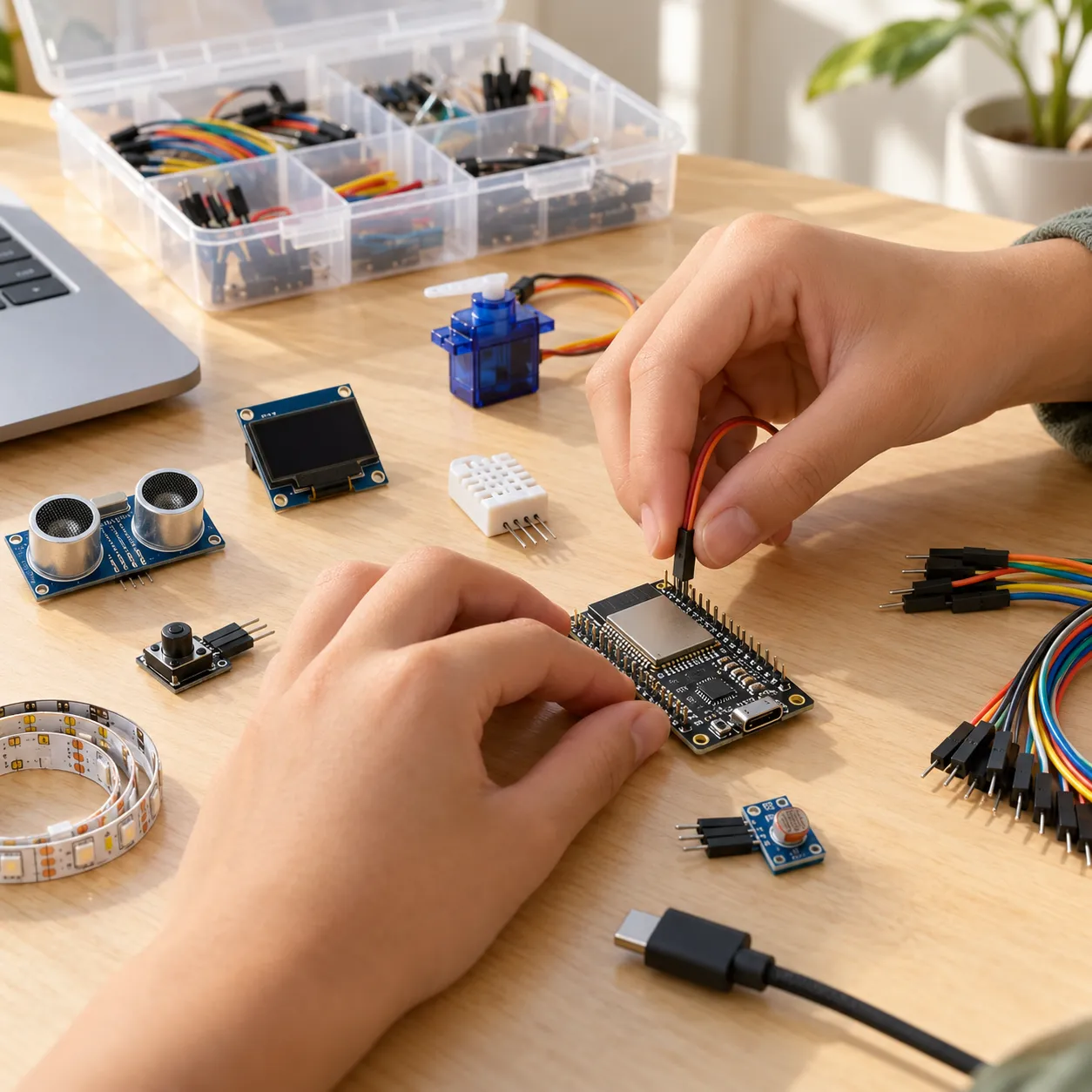
Start with confidence
Is the one-day path right for your student?
The path makes the first steps concrete: follow the verified wiring, state the result you want, let the AI coding agent build, and test the behavior on real hardware.
Made for Grades 7–12
Projects use real electronics and clear explanations without making the experience feel childish.
Start without writing code
Basic computer use and typing are enough to begin. Students describe behavior instead of authoring every line from scratch.
Verify on a real device
Wiring checks, compile checks, and physical tests confirm what works before the student asks AI to improve it.
One kit, three first projects
Make something you can see, test, and explain.
Planned build · Guide not published
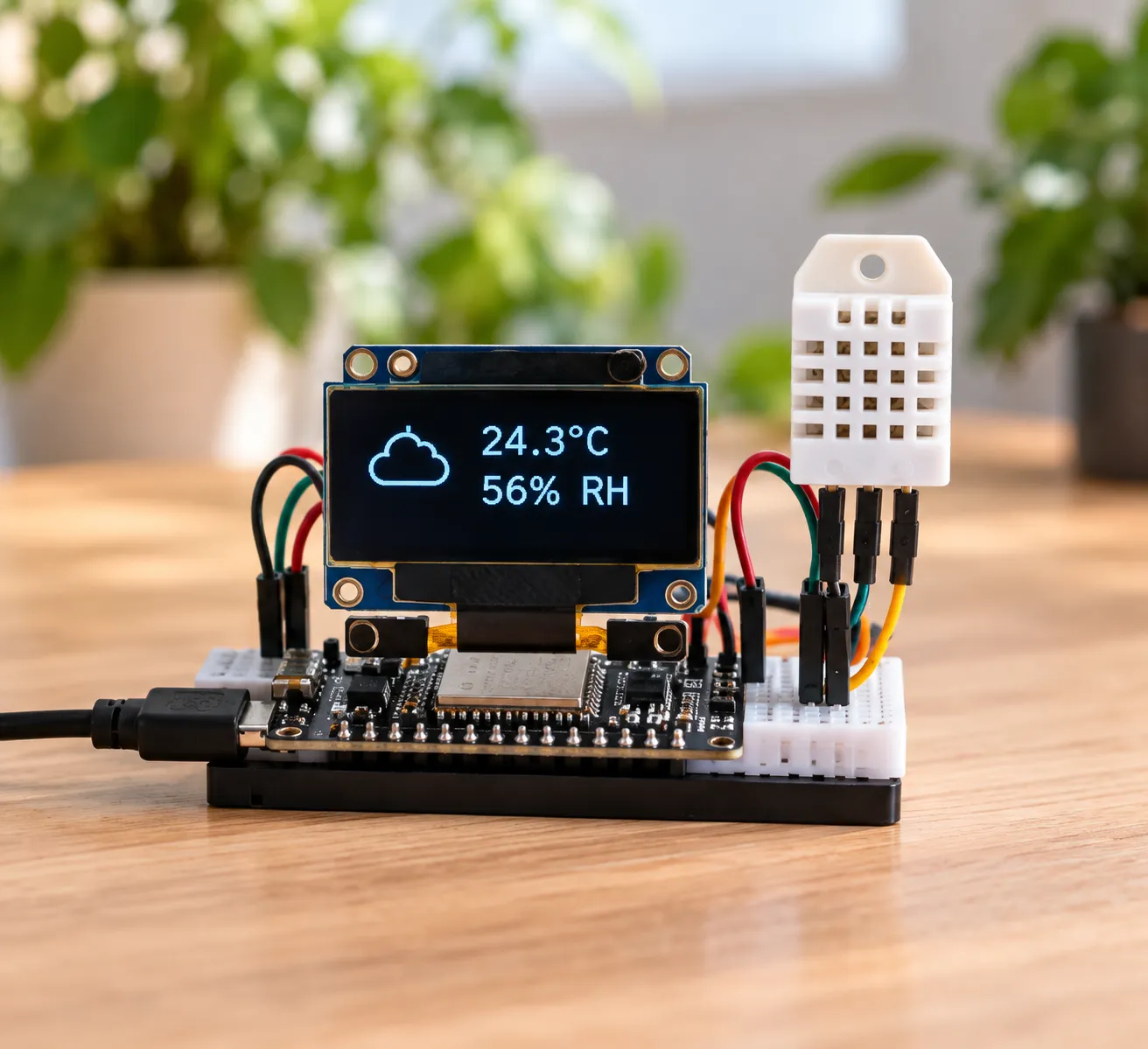
Weather station
Read temperature and humidity, format the data, and show it on the OLED display.
- Planned kit modules
- DHT22 · OLED · ESP32-S3
- Skills practiced
- Sensor input · Data formatting · Display output
Planned build · Guide not published
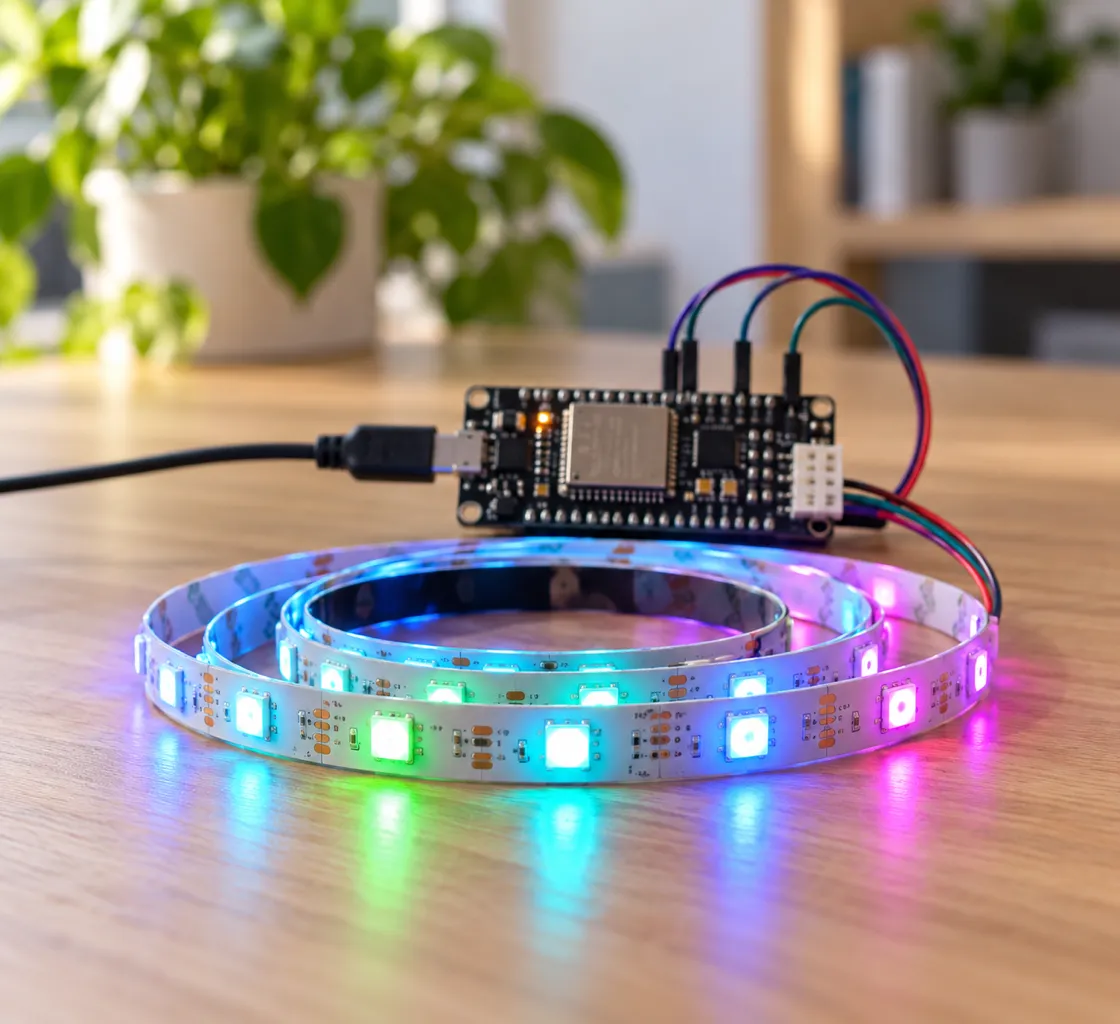
Smart light
Turn ambient light readings into clear rules that control a colorful light response.
- Planned kit modules
- Light sensor · RGB strip · ESP32-S3
- Skills practiced
- Conditions · Calibration · Visual feedback
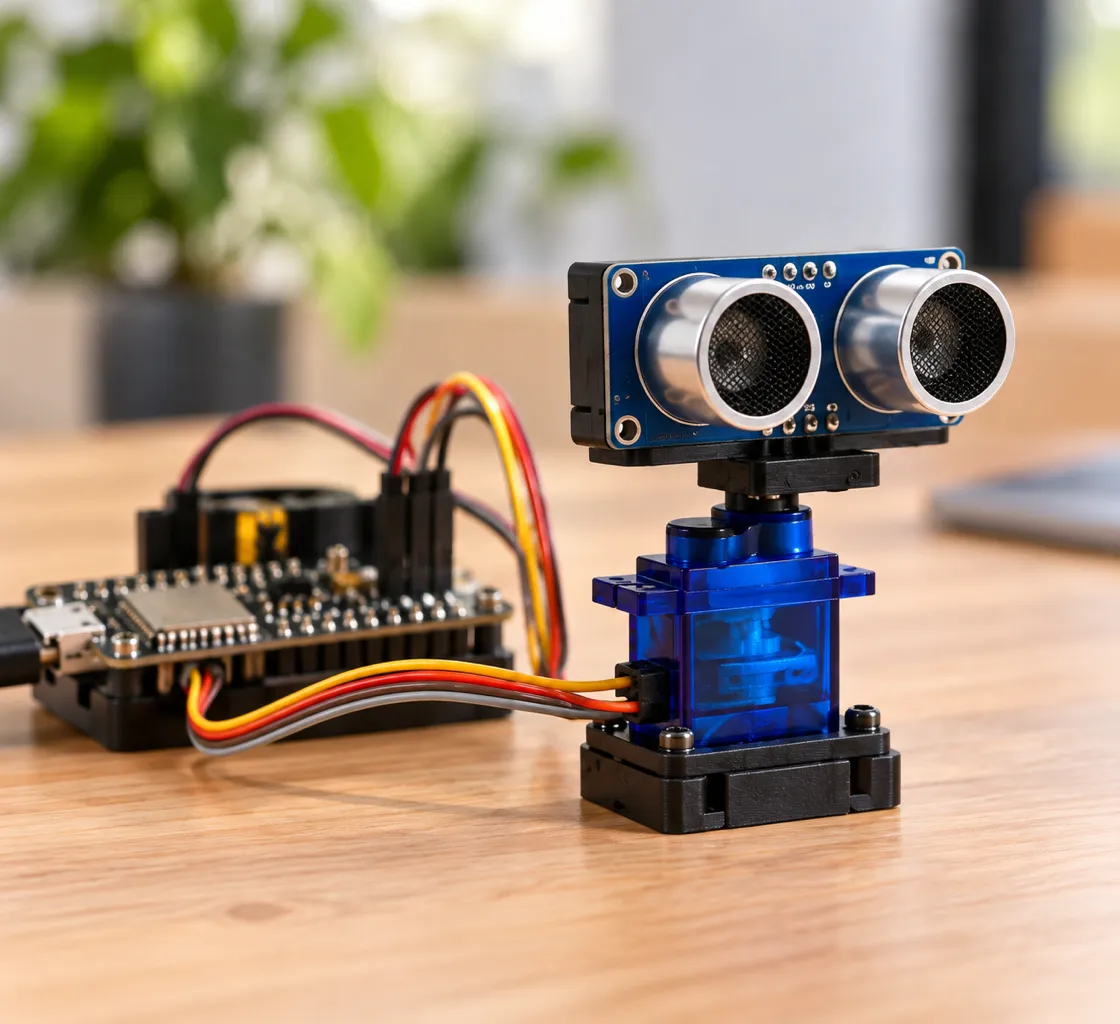
Planned build · Guide not published
Distance alarm
Measure distance, display the result, and create a sound response when an object gets close.
- Planned kit modules
- HC-SR04 · OLED · Audio modules
- Skills practiced
- Measurement · Thresholds · Test and improve
These are planned project examples, not currently available guides. Images are illustrative. Each guide will be published only after its wiring, power, compile, flash, and function checks pass on the final launch hardware.
The planned one-day path
You lead the idea. AI handles the code loop.
Students are not expected to write code from scratch or understand every line before beginning. They connect the hardware, describe the intended behavior, and verify the result while Claude Code or OpenAI Codex generates and refines the software.
- OLED display
- Button input
- Light sensing
- Temperature & humidity
- Distance sensing
- Servo motion
- RGB lighting
- I2S sound
- 01Describe the behavior
Tell the AI coding agent what the sensor should detect and how the device should respond.
- 02Connect, then check
Follow the verified diagram, keep USB power disconnected, and complete the pre-power wiring check.
- 03Generate, compile, and flash
Let the agent prepare the project, resolve build errors, and load the tested result onto the ESP32-S3.
- 04Test the real device
Observe the sensor and output, record what happened, and ask the agent to improve one behavior at a time.
Once released, the one-day outcome will apply to the published guided core path on a supported computer and launch-kit configuration. Custom projects, account setup, software updates, network conditions, and troubleshooting may require additional time.
Inside the box
15 focused components. Six ways to build.
Every item has a job: sense, display, move, light, or make sound. Final brands, colors, connectors, and the board SKU will be verified before checkout opens.
Core & Connect
The controller and the cables used across every build.
- ESP32-S3 development boardSoldered headers; 16+8 configuration. Final board SKU details will be confirmed before launch.
- USB data cableUSB-A to USB-C or USB-C to USB-C, matched to the final board.
- 24 jumper wires8 female–female, 8 male–female, and 8 male–male.
Sense
Inputs that let code react to people and the physical world.
- Push-button modulePractice simple digital input.
- Light sensorMeasure changes in ambient light.
- DHT22 sensorRead temperature and humidity.
- HC-SR04 ultrasonic moduleMeasure distance; final guides will include verified voltage guidance.
See & Light
Visual outputs for useful data and creative feedback.
- SSD1306 OLED displayShow readings, labels, and simple menus.
- 1 m RGB LED stripCreate light responses; final guides will specify safe power and wiring.
Move
A first step from screen-based code to physical motion.
- SG90 micro servoClassic 9 g servo with 180° motion.
- Ultrasonic sensor servo bracketMount the distance sensor for a scanning build.
Hear
Digital audio parts for alerts and sound experiments.
- MAX98357 I2S amplifierDrive digital audio output from the board.
- 8 Ω / 5 W speakerTurn audio signals into sound.
Organize
Simple packaging for keeping the small parts together.
- MoloWorks packaging boxFinal structure and cover design are in progress.
- Printed sticker and parts bagsLabel, sort, and organize the components.
Not included
Computer · External power supply · AI service or subscription · 1:1 mentoring · 30-lesson course
Before the first build
What your student needs to get started.
Computer & setup
Bring a laptop or desktop
- Windows 10 or 11, or a currently supported macOS release
- The current version of Chrome or Edge
- One data-capable USB-A or USB-C port, or an adapter
- Stable 2.4 GHz Wi-Fi for connected projects and downloads
- Permission to install course tools and any required USB driver
- Basic typing and file-navigation skills
An adult or administrator may need to help with installation permissions. A phone or tablet cannot be the primary learning device. ChromeOS and Linux will be listed only after testing confirms support on the launch hardware.
AI account path: Ages 10–12 use an adult-operated demonstration. Ages 13–17 may use OpenAI Codex only with parent or legal-guardian permission and an eligible account. Anthropic consumer Claude services require users to be 18 or older. Never share account credentials.
Safe building basics
Pause power before changing wires
- Disconnect USB power before rewiring
- Work on a dry, clear, nonconductive surface
- Keep loose metal away from powered boards
- Supervise small parts and moving servo mechanisms
Use adult help with any external power. Follow the verified voltage and LED-strip guidance in each final project guide. AI-generated work is not considered complete until the wiring, compile result, and physical behavior have been checked.
US launch preview
Know exactly what you are buying before checkout opens.
U.S. fulfillment planned for launch. Before sales begin, this page will publish the final component SKU, product photography, tested setup requirements, and delivery coverage. Review the planned Shipping & returns and Warranty terms before ordering.
MoloWorks AI Coding IoT Dev Kit
US$89
Shipping and tax calculated separately.
- 30-day returnsFor eligible purchases
- No restocking feeFor eligible returns
- Return shipping coveredFor confirmed defects, transit damage, wrong, or missing items
- 12-month warrantyLimited hardware coverage
A real checkout link will replace this button when inventory and policies are ready.
Questions parents ask
The details before you decide.
For general support and policy updates, visit the Support page.
What age or grade is the kit designed for?
The Dev Kit path is designed for Grades 7–12. Learners age 10–12 can join with close adult or instructor support, including an adult-operated AI demonstration. The computer setup and independent troubleshooting are aimed at secondary-school learners.
Does my student need coding experience?
No prior programming experience is required. Students do not have to write code from scratch or understand every line before they can begin. They should be comfortable using a laptop or desktop, typing a request, following a wiring diagram, and checking the real device at each guided milestone.
Can every beginner finish the kit in one day?
The planned one-day path is designed to cover eight core functions on the supported computer and launch-kit configuration. It is a guided learning target, not a guarantee for every learner or custom idea. Account setup, software updates, network conditions, troubleshooting, and more ambitious projects may require additional time.
What computer is needed?
At launch, students will need a laptop or desktop running Windows 10 or 11, or a currently supported macOS release; the current version of Chrome or Edge; a data-capable USB-A or USB-C port or adapter; stable 2.4 GHz Wi-Fi; and permission to install the course tools and any required USB driver. An adult or administrator may need to help with installation permissions. Phones and tablets cannot serve as the primary learning device. ChromeOS and Linux will be listed only after launch-hardware testing confirms support.
Is soldering required?
The planned starter builds use a development board with soldered headers and plug-in modules. We will confirm the connector and tool requirements for every guide before orders open.
What is not included?
A computer, external power supply, AI subscription, 1:1 help sessions, and the 30-lesson course are not included. The final project guides will clearly identify any optional accessory before launch.
Are the project guides free?
Yes. MoloWorks starter guides and planning downloads will be available in the Learn section without a student account. More guides will be added as they are tested.
Does the kit include AI software?
No. Claude Code and OpenAI Codex are independent third-party services, and the kit does not include an account, subscription, credits, or guaranteed access. Availability, limits, and fees are controlled by each provider. The guided path uses compile checks and real-hardware tests to verify generated work.
How are AI accounts handled for learners under 18?
Learners age 10–12 use an adult-operated demonstration and do not create or control a third-party AI account. Learners age 13–17 may use OpenAI Codex only with parent or legal-guardian permission and an eligible account. Anthropic consumer Claude services, including the individual Claude Code path, require users to be 18 or older. Account credentials must never be shared.
When can I order, and how will shipping work?
Orders are not open yet. Current status: U.S. fulfillment planned for launch. Shipping cost and tax will be calculated separately. The planned launch policy includes a 30-day return window for eligible purchases, no restocking fee on eligible returns, return shipping covered by MoloWorks for confirmed defects, transit damage, wrong items, or missing items, and a 12-month limited hardware warranty. Final delivery areas and estimates will be posted before checkout opens.
Are the product images final?
No. Current photos are illustrative concept images. Component brands, colors, arrangement, and packaging may change. The final product page will be updated with verified specifications and photography before sales begin.