
EQ-20 · Ultrasonic bracket
Mount and aim the ultrasonic sensor
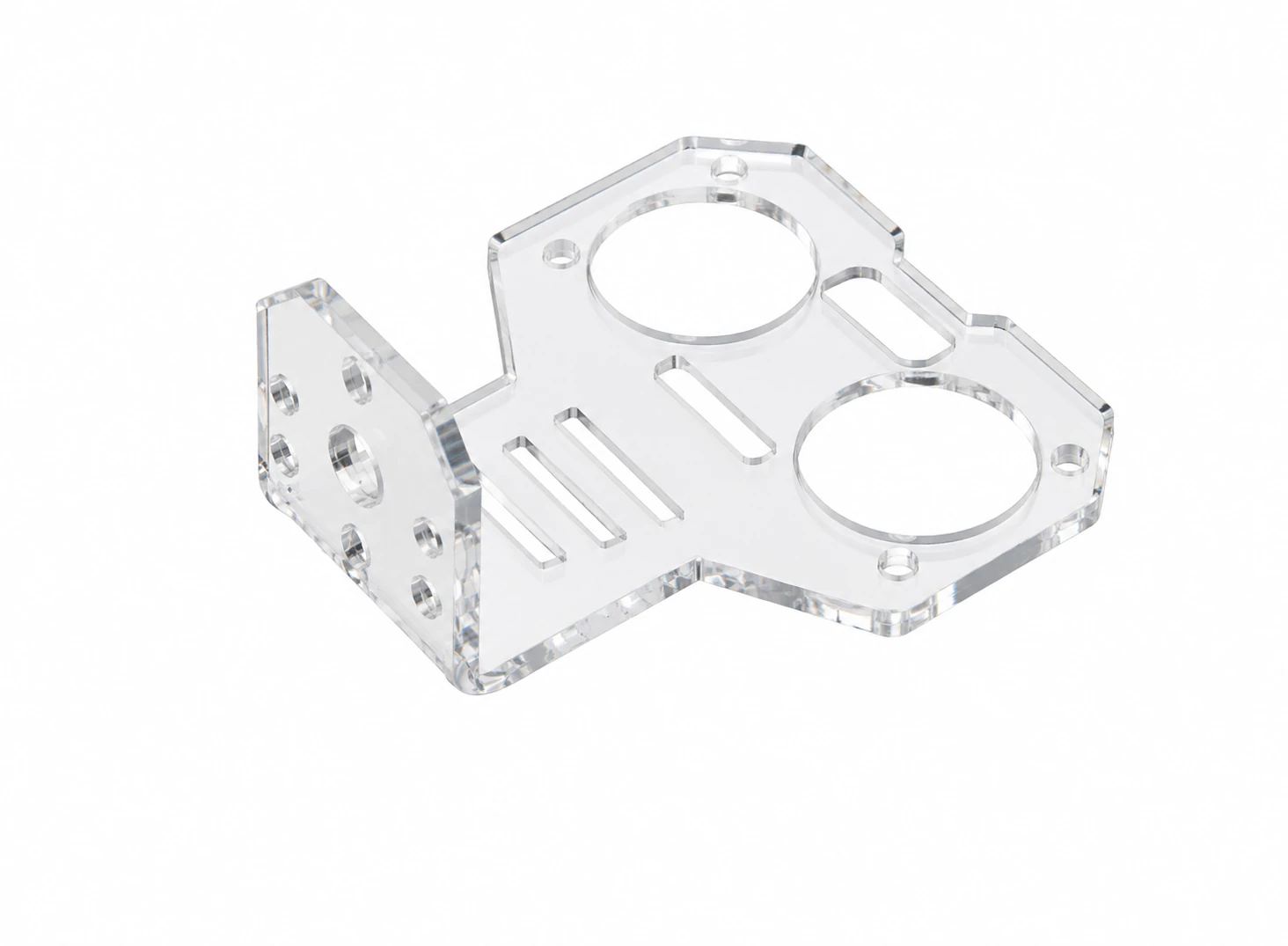
An acrylic bracket holds the HC-SR04 ultrasonic module in position.
How to use it
You’ll need: Acrylic bracket, HC-SR04, and any suitable fasteners. Full kit can reuse hardware from its SG90 set.
- With everything unpowered, remove any protective film from the acrylic bracket. Check that the two transducer openings face forward.
- Align the HC-SR04 and secure it without twisting the acrylic or pressing on solder joints. The kit includes the bracket body; it does not supply separate fasteners with the bracket.
- Leave clearance for the wiring and both transducers. If adding the Full kit servo, center it unloaded first, then check the bracket’s small motion range and cable slack before powering the assembly.
What to look for: Both transducers are unobstructed. The bracket holds its aim and any planned motion is clear of the wires.
AI prompt
Copy the prompt and replace any brackets with details from your kit.
Mount and aim the ultrasonic sensor
Help me mount my four-pin HC-SR04 in the MoloWorks acrylic bracket. I have [Starter or Full] and [fasteners or optional SG90]. List a power-off assembly order, a check for unobstructed transducers and slack wires, and a simple alignment test against a flat target. If I add the servo, start with it centered and use small motion limits.