
EQ-03 · 0.96-inch 128 × 64 OLED
Find the OLED and show a message
A 0.96-inch, 128 × 64 OLED for readings and status messages.
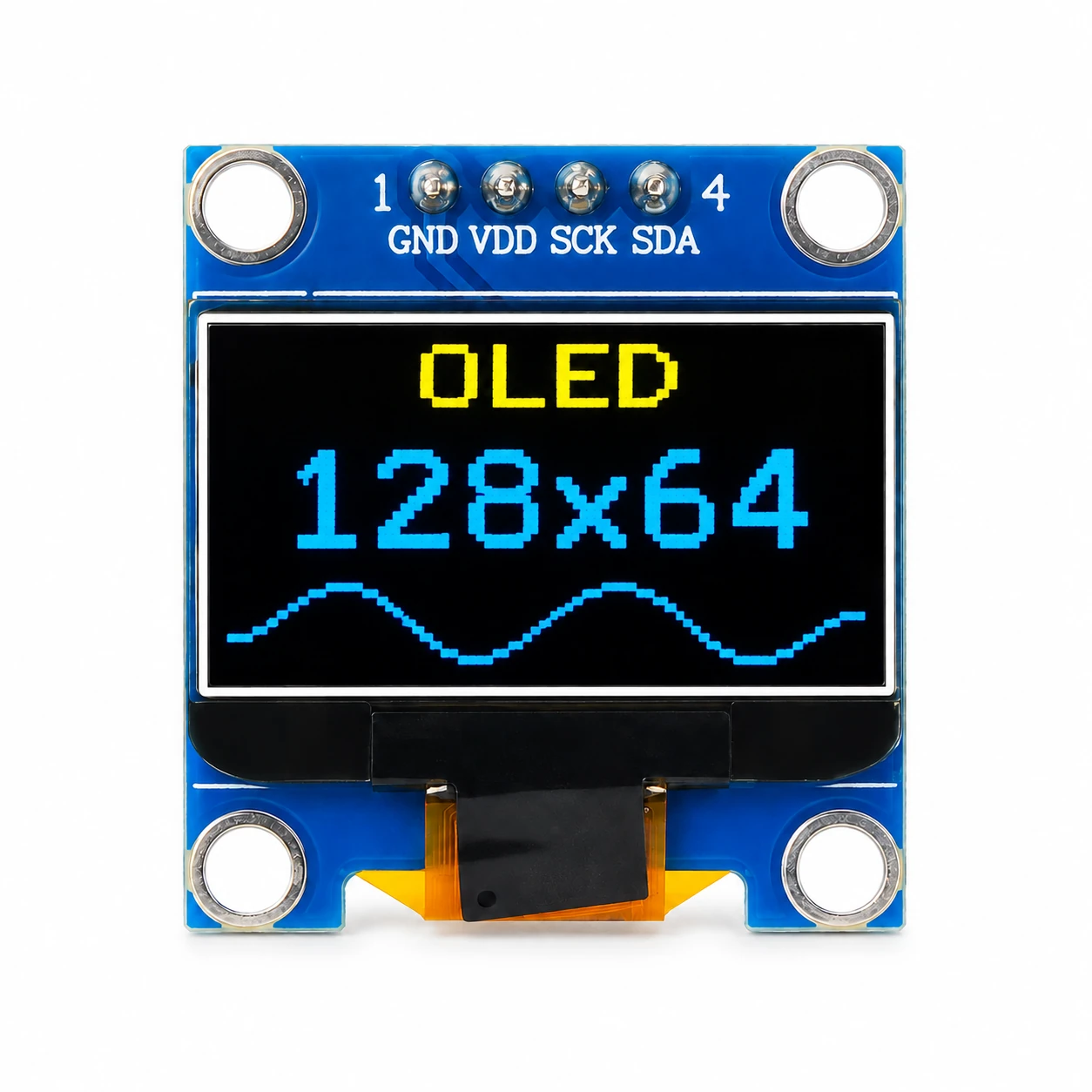
How to use it
You’ll need: ESP32-S3, four-pin OLED, USB data cable, and four jumper wires.
Connections
This example uses one part at a time on the MoloWorks ESP32-S3. If a course uses different GPIO pins, follow that course’s wiring and code together. Disconnect USB and any external power before changing wires.
| On the part | Connect to |
|---|---|
| OLED VCC / VDD | ESP32 3V3 |
| OLED GND | ESP32 GND |
| OLED SCL / SCK | ESP32 GPIO5 (I²C clock) |
| OLED SDA | ESP32 GPIO4 (I²C data) |
- With power off, check the names printed on the OLED. Some boards call the I²C clock SCK. Match the labels rather than the order in a photo.
- Power the ESP32 over USB. Run the scan below in MicroPython. If it prints an empty list, check SDA, SCL, power, ground, and the module’s I²C pull-ups before installing a display driver.
- Use the scan to find the address. To identify the controller for your display batch, check the markings or ask support with photos of both sides. Then install the matching MicroPython driver for a 128 × 64 I²C display, use the address you found, and draw “Hello” at the top.
MicroPython example
Run this on the board with your MicroPython editor. Set up the ESP32-S3 first if you don’t have a working connection.
from machine import Pin, SoftI2C

i2c = SoftI2C(scl=Pin(5), sda=Pin(4), freq=100000)
print([hex(address) for address in i2c.scan()])
What to look for: The display appears in the scan. Once you have the matching driver, the screen shows your message.
AI prompt
Copy the prompt and replace any brackets with details from your kit. Check the suggested wiring against the labels on your parts before applying power.
Find the OLED and show a message
I have a MoloWorks ESP32-S3 with MicroPython and a 128 × 64 four-pin I²C OLED. I used 3V3, GND, SCL on GPIO5 and SDA on GPIO4. My scan shows [addresses] and my controller or PCB markings are [markings or unknown]. Help me find the matching driver without inferring a controller from its address. Once confirmed, give me a minimal Hello display example, the driver file name, and two checks if the scan works but the screen stays blank.