
EQ-11 · 4×4 keypad
Map the ribbon and read one key
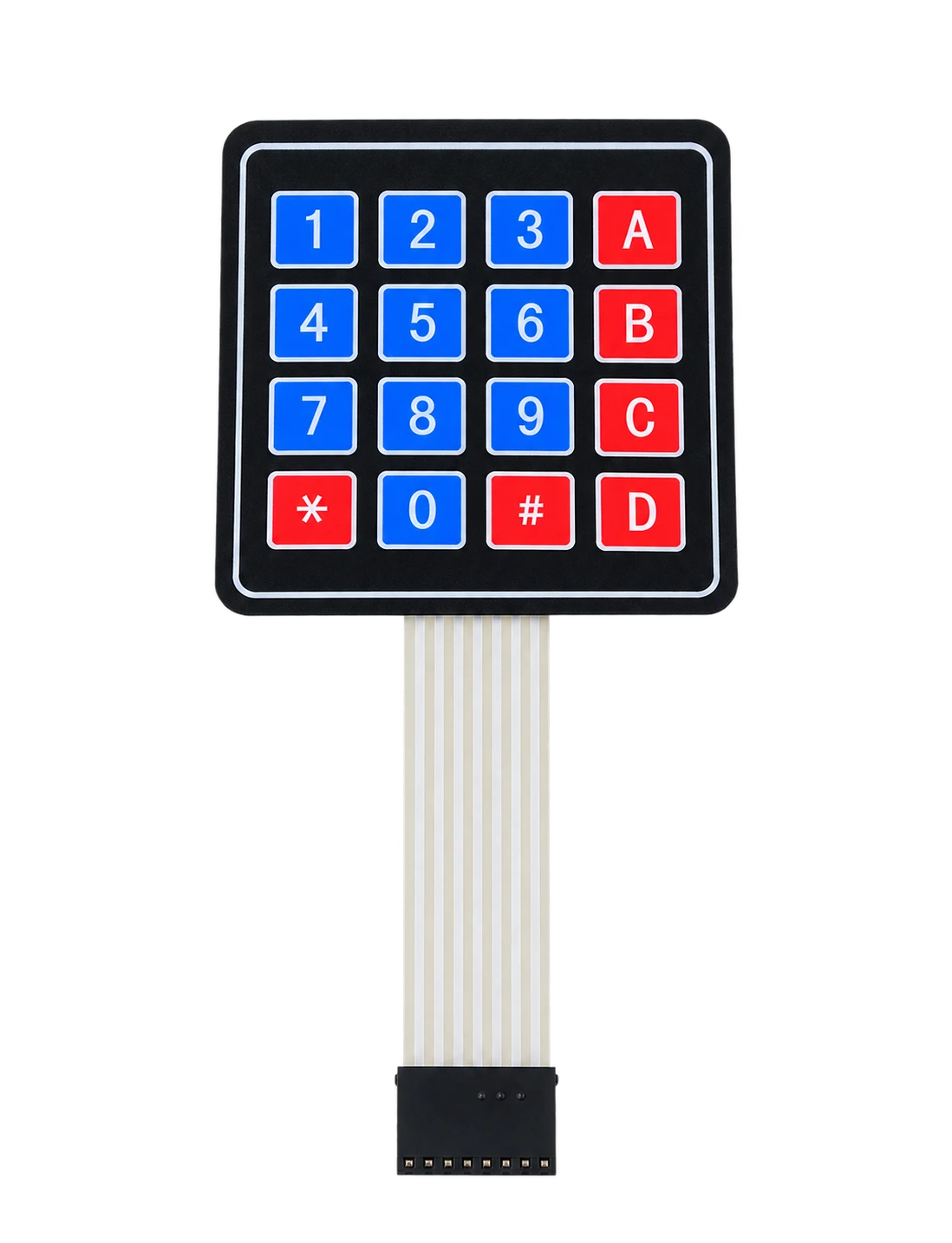
A thin 16-key keypad adds numeric and command entry to a project.
How to use it
You’ll need: ESP32-S3, keypad, eight jumpers, and a multimeter in continuity mode.
Connections
This example uses one part at a time on the MoloWorks ESP32-S3. If a course uses different GPIO pins, follow that course’s wiring and code together. Disconnect USB and any external power before changing wires.
| On the part | Connect to |
|---|---|
| Verified rows R1, R2, R3, R4 | ESP32 GPIO4, GPIO5, GPIO6, GPIO7 |
| Verified columns C1, C2, C3, C4 | ESP32 GPIO8, GPIO9, GPIO10, GPIO11 |
- The ribbon has no separate supply pin. With the keypad disconnected, hold down one key and find its connected pair of ribbon contacts using continuity mode. Compare keys across one row and down one column to identify which contacts are rows and which are columns.
- Label R1–R4 top to bottom and C1–C4 left to right. Wire according to that map. Configure column inputs with pull-ups and drive only one row low at a time, leaving the other rows as inputs.
- Run the scan and press one key at a time. The example checks the key twice and reports a changed key once. This first exercise is for single key presses.
MicroPython example
Run this on the board with your MicroPython editor. Set up the ESP32-S3 first if you don’t have a working connection.
from machine import Pin
from time import sleep_ms

rows = [Pin(n, Pin.IN) for n in (4, 5, 6, 7)]
cols = [Pin(n, Pin.IN, Pin.PULL_UP) for n in (8, 9, 10, 11)]
keys = ("123A", "456B", "789C", "*0#D")

def scan():
    for i, row in enumerate(rows):
        row.init(Pin.OUT, value=0)
        sleep_ms(1)
        hit = None
        for j, col in enumerate(cols):
            if col.value() == 0:
                hit = j
                break
        row.init(Pin.IN)
        if hit is not None:
            return keys[i][hit]
    return None

last = None
while True:
    key = scan()
    sleep_ms(25)
    if key == scan() and key != last:
        if key is not None:
            print(key)
        last = key
What to look for: Try 1, 5, 9 and D. The console should print those same characters, one per press. If characters are scrambled, recheck the row and column map. Stop with Ctrl-C.
AI prompt
Copy the prompt and replace any brackets with details from your kit. Check the suggested wiring against the labels on your parts before applying power.
Map the ribbon and read one key
I have a passive MoloWorks 4×4 keypad, MicroPython, and an ESP32-S3. Here are my measured ribbon contacts for R1–R4 and C1–C4: [map]. Use GPIO4–7 for rows and GPIO8–11 for columns. Verify the map before giving me a single-key scan with pull-ups, one active low row at a time, idle rows high impedance, debounce, and a way to catch a reversed ribbon.