
EQ-12 · DHT22 module
Read temperature and humidity
Read air temperature and relative humidity over one digital data line.
How to use it
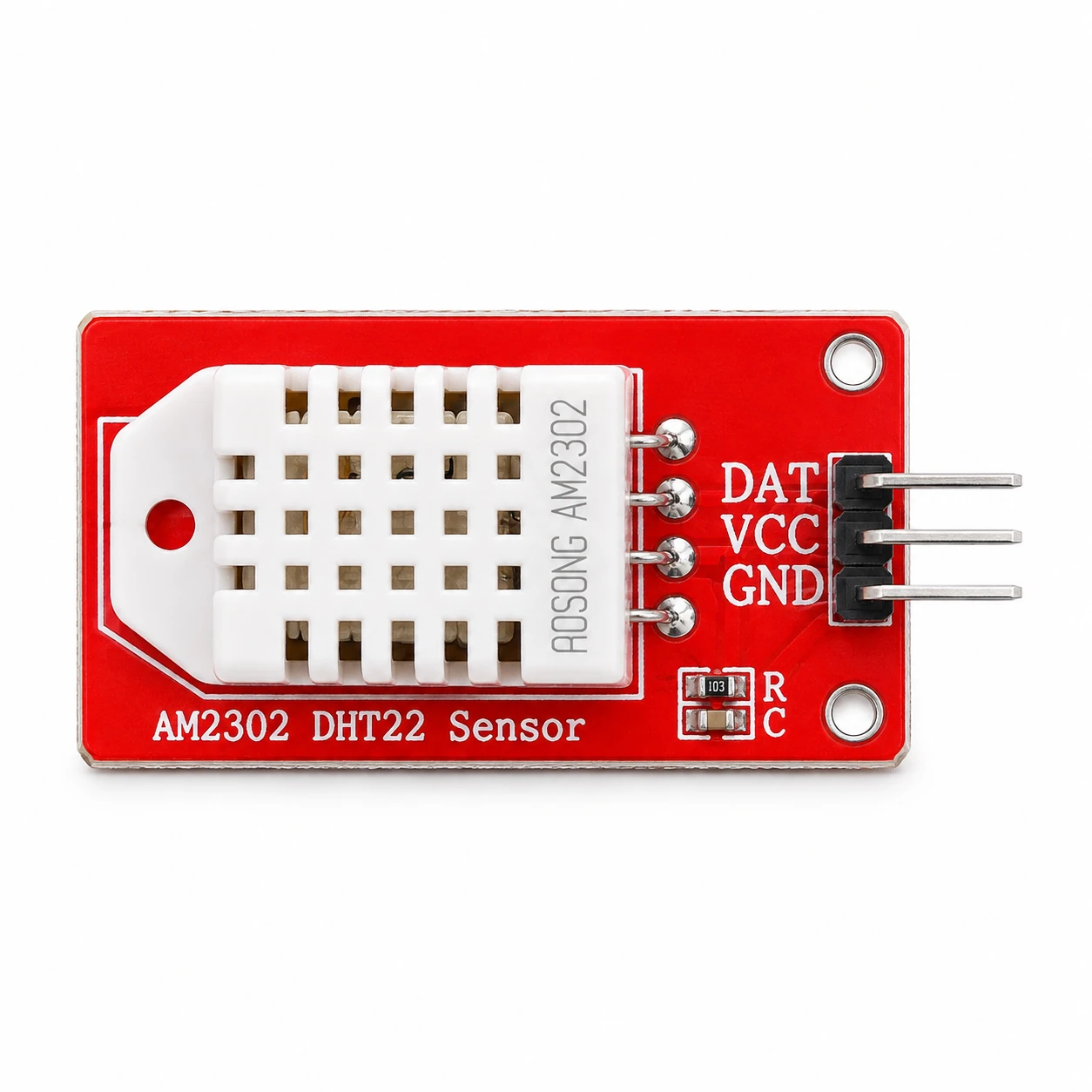
You’ll need: ESP32-S3, DHT22 / AM2302 module, USB data cable, and jumpers.
Connections
This example uses one part at a time on the MoloWorks ESP32-S3. If a course uses different GPIO pins, follow that course’s wiring and code together. Disconnect USB and any external power before changing wires.
| On the part | Connect to |
|---|---|
| Module VCC | ESP32 3V3 |
| Module GND | ESP32 GND |
| Module DAT | ESP32 GPIO4 |
- Read the labels on the breakout before wiring. Use its 3.3 V supply for this test. Check for a pull-up on DAT; if your module does not provide one, follow its datasheet and pull DAT up to 3.3 V.
- Run the DHT22 example. Give the sensor time to settle after startup and leave three seconds between measurements.
- Let air reach the vents. Compare several readings at room temperature, then warm the air nearby slightly with your hand. Keep water and condensation off the sensor.
MicroPython example
Run this on the board with your MicroPython editor. Set up the ESP32-S3 first if you don’t have a working connection.
from machine import Pin
from time import sleep
import dht

sensor = dht.DHT22(Pin(4))
for _ in range(5):
    sleep(3)
    sensor.measure()
    print(sensor.temperature(), "C", sensor.humidity(), "% RH")
What to look for: The console prints a temperature in °C and a relative humidity percentage. If the read times out, check DAT, the pull-up, ground and sampling interval.
AI prompt
Copy the prompt and replace any brackets with details from your kit. Check the suggested wiring against the labels on your parts before applying power.
Read temperature and humidity
I have the DHT22 / AM2302 breakout powered at 3.3 V, with DAT on GPIO4 of my MicroPython ESP32-S3. Give me a first read with at least three seconds between samples. Explain what °C and relative humidity mean and show how to check a timeout. Ask whether my breakout already has the data pull-up before adding a resistor.